RON FREITAS
District Attorney

Office of the District Attorney
Protecting our community for 175 Years
Home / Consumer Alerts / How to Keep Your Kids Safe Online

Consumer Alerts


November 25, 2025

How to Keep Your Kids Safe Online

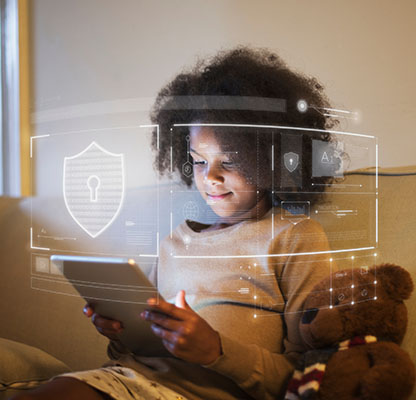
Photo: Keep Kids Safe Online!

In today’s connected world, children’s digital footprints are expanding rapidly, and with that expansion come new responsibilities for parents and guardians. While it’s tempting to think of screen time as harmless, especially when a game looks friendly and fun, the reality is more complex. Thumbs on keyboards may be tiny, but consequences can be large. Here are a few strategies for keeping kids safe online. We will also drill down into two of the most popular online environments for children under 13, Roblox and Minecraft, so you can be proactive rather than reactive.

Why online safety for kids matters now

Kids today aren’t just watching videos or playing offline; they’re entering social-digital worlds where chat, user-generated content, in-game purchasing, and even hidden risks co-exist. For younger children in particular, several fronts warrant attention:

  • Device security: Tablets, phones, and laptops may be your children’s playthings, but every device is a gateway. Unpatched software, weak passwords, and open Wi-Fi networks; these are the same holes that bad actors use, whether the target is an adult or a child.
  • Online behavior and exposure: Younger children may lack the judgment to identify manipulative content, questions that pry for personal data, or harmful communication. The illusion of “it’s just a game” can lull families into underestimating exposure risks.
  • Parental control + habits: Tools alone aren’t enough unless paired with conversations. Establishing healthy screen time, reinforcing rules about sharing, and helping kids build digital literacy are all part of the equation.

In short, helping kids use tech safely means not only locking doors, but also teaching them where the doors are, how to pick locks, and when not to open them.

Key safety strategies for any device or game

Here are some best practices that apply across apps, games, and devices:

1.  Secure the device

  • Enable automatic updates on the operating system, apps, and browsers.
  • Use strong, unique passwords (or passphrases) for each account. If you’re helping older kids, consider using a password manager.
  • Secure your home network: change default router passwords, disable remote management, keep firmware current.
  • Require a PIN, biometric login, or secure scheme on any device that a child uses unsupervised.

2.   Use built-in controls and monitor spending

  • Many devices and games allow you to restrict in-app purchases, set spending limits, or require parental approval.
  • Enable parental-control modes where available: limit chat, restrict multiplayer access to “friends only,” disable or monitor voice communication.
  • Ensure you know how much time a child is spending in a game or app. Screen time reductions may be needed for balance.

3.   Co-navigate rather than just supervising

  • Play or observe the game alongside your child periodically; it opens the door for natural conversations about what’s happening inside, who they’re interacting with, and how they feel.
  • Make common spaces rules: devices in living rooms or family areas rather than locked in a bedroom.
  • Encourage open dialogue: if your child is upset, bored, or feels something “weird” happened online, they should feel safe telling you.

4.   Teach digital “good citizenship” early

  • Remind children not to share personal details (real name, address, school, phone number) with strangers or even “friends” they only know online.
  • Explain how in-game purchases add up and how “free” games can still redirect to costs, ads or data collection.
  • Stress that most online “friends” your child plays with are strangers, even in child-oriented games, and strangers might not always have good intentions.

Specific risks young children face in platforms like Roblox & Minecraft

Even when a game is rated for young players, the multiplayer online element introduces additional hazards. Let’s break down two of the most-played platforms for kids under 13:

Roblox

Roblox is a user-generated gaming platform where millions of players (including many under 13) join shared “experiences,” chat, play, build games, and socialize. While it offers creative opportunities, the open nature means there are lessons for parents.

Key risk areas:

  • Because much of the content is created by other users, the moderation gap is real: children have reported encountering inappropriate content, unsavory chat, or even predatory behavior despite initial safety settings.
  • In-game purchases of “Robux” or avatar items may be impulsive, especially with young children who may not fully grasp real-money value.
  • Communication features (chat, friend requests) increase the risk of interactions with unknown players, even if avatars look friendly or familiar.

Protective steps:

  • Ensure your child’s age is entered correctly during account setup. Some features and chats are automatically restricted for under-13 accounts.
  • Turn chat/settings to “Friends only” or disable it entirely for younger children.
  • Disable random in-game purchases or set alerts so you’re informed of any spending.
  • Add your child’s device to “family” or “parent-management” mode (Roblox and your device OS often support this).
  • Regularly ask: “Who did you play with? Did you talk to anyone new today?” Keep the conversation light and curious rather than punitive.

Minecraft

While the core game of Minecraft is often single-player and family-friendly, many children play on public servers or via voice chat, which introduces risks similar to fully social platforms.

Key risk areas:

  • Multiplayer servers can be unmoderated or poorly moderated. Inappropriate language, bullying, or contact with strangers can occur.
  • Mods (user-created modifications) may introduce unvetted third-party code, unexpected behavior, or privacy vulnerabilities.
  • Extended gameplay without limits can impact sleep, mood, and social interaction balance.

Protective steps:

  • Use “child account” settings through Microsoft/Xbox or your device to restrict multiplayer or voice chat.
  • Choose trusted, curated servers (or private servers) rather than random public ones.
  • Disable or restrict mods unless you’ve pre-approved them from safe sources.
  • Set clear limits for times when gaming is allowed and when it stops (for homework, family time, sleep, etc.).
  • Have a “check-in” habit: ask your child to show you what they built, who they played with, and how it felt.

Online play can be tremendously positive; creativity, collaboration, spatial thinking, and peer socialization are real benefits. The goal isn’t to ban young children from digital worlds, but to make those worlds safer, better monitored, and richer with guidance. Think of your role as a navigator rather than a guard: you’re helping your child steer their online journey and equipping them with tools, both technical and personal, to thrive in it.

By combining solid device protections, game-specific supervision, open communication, and age-appropriate conversations, you’re setting your child up not just to be safer today, but to develop healthy digital habits that will serve them long into adolescence and adulthood.

Share